One local address for all your development servers.
Connectio is a free, open-source desktop app. It puts all of your local development servers behind one address. It sends each request to a server by its path and shows each request immediately. You can share your servers through a Cloudflare tunnel. You do not write an nginx config.
Free and open source · v1.2.0 · macOS, Windows, Linux
The problem
Your frontend is on :3000, the API is on :3001, and auth is on :4000. The browser
thinks that they are three different sites.
CORS errors between ports
Your frontend on :3000 sends requests to the API on :3001, and the browser blocks them. When all servers use one origin, the browser has no cross-origin requests to block.
Cookies that do not arrive
The auth service on :4000 sets a session cookie, but the browser does not send it to the app on :3000. When all servers use one address, cookies operate correctly.
Webhooks that must have a public URL
Stripe, GitHub, and Slack must send requests to your computer. Select one checkbox to receive a temporary trycloudflare.com URL for all of your servers.
Reverse-proxy configs that you write again each time
You do not write an nginx.conf file, a Caddyfile, or a Docker network. You make rules in the UI, and you can save, load, and share them as JSON.
How it works
01
Add your servers
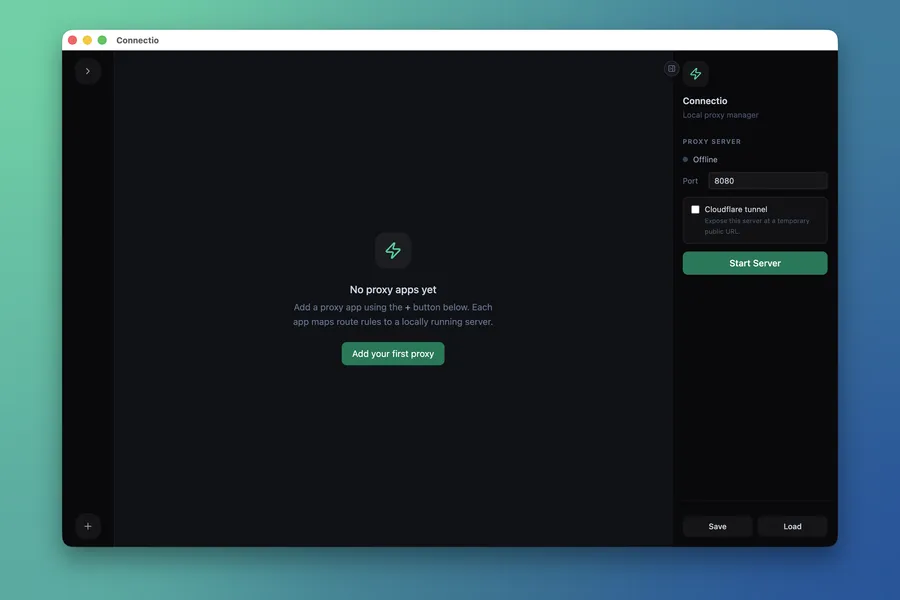
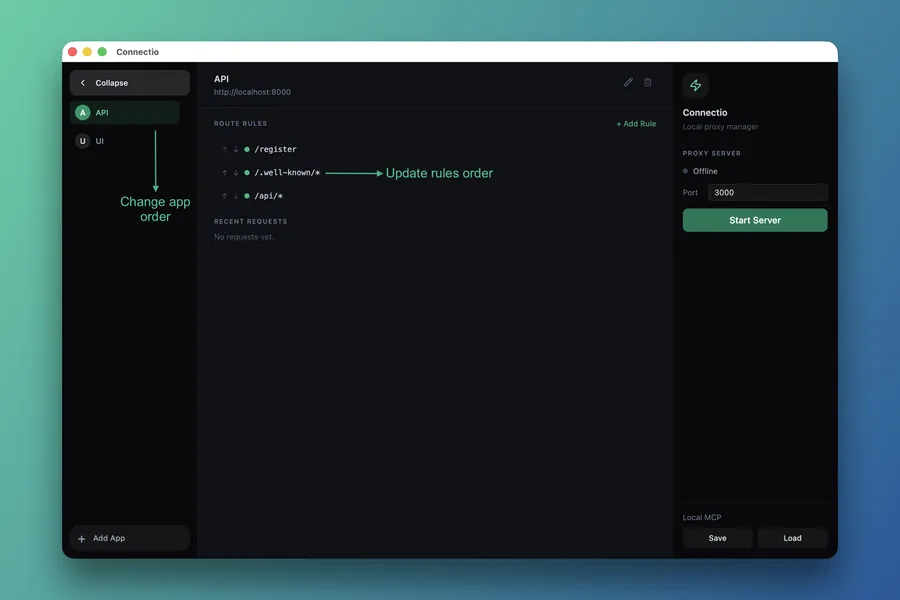
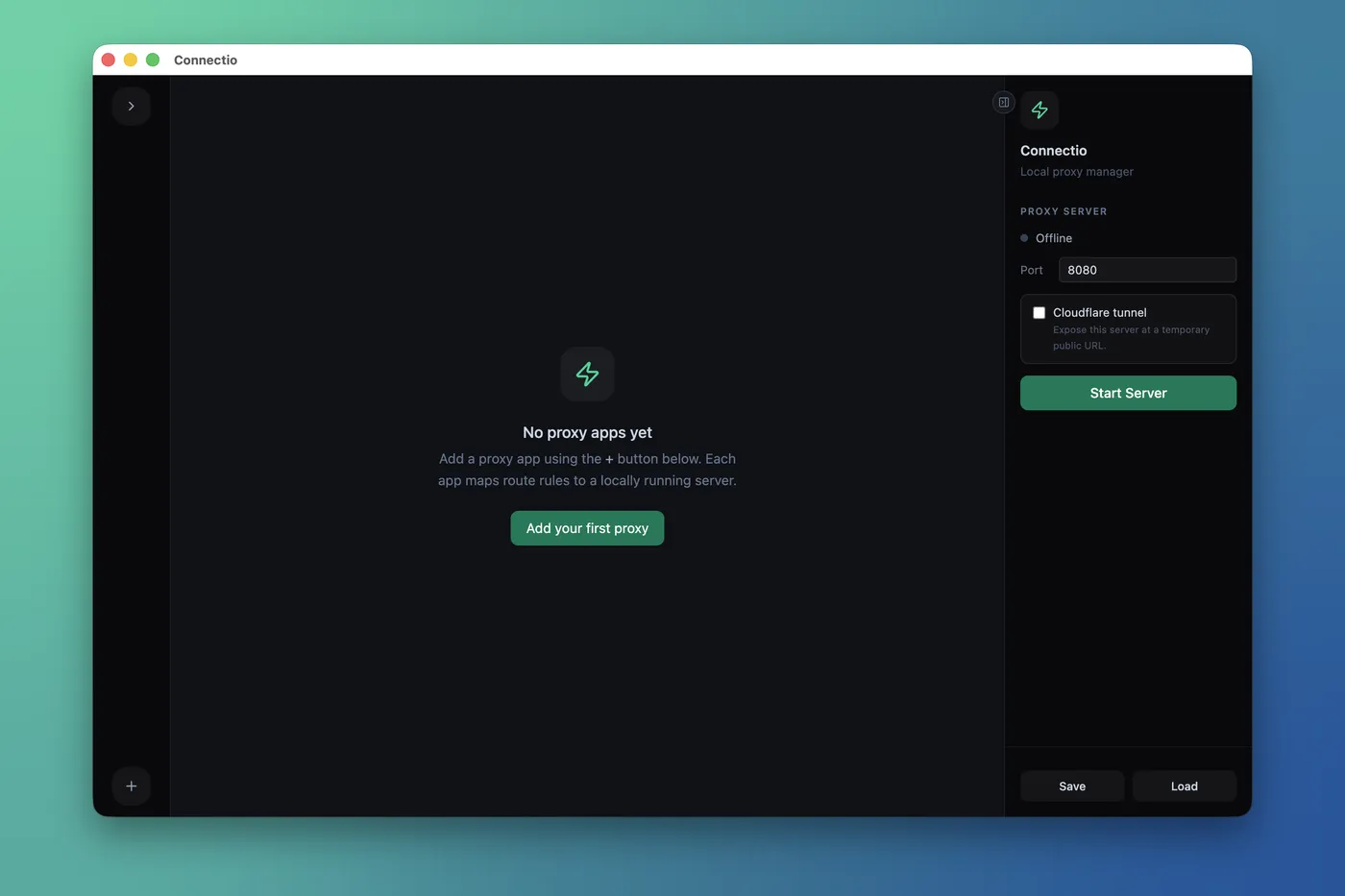
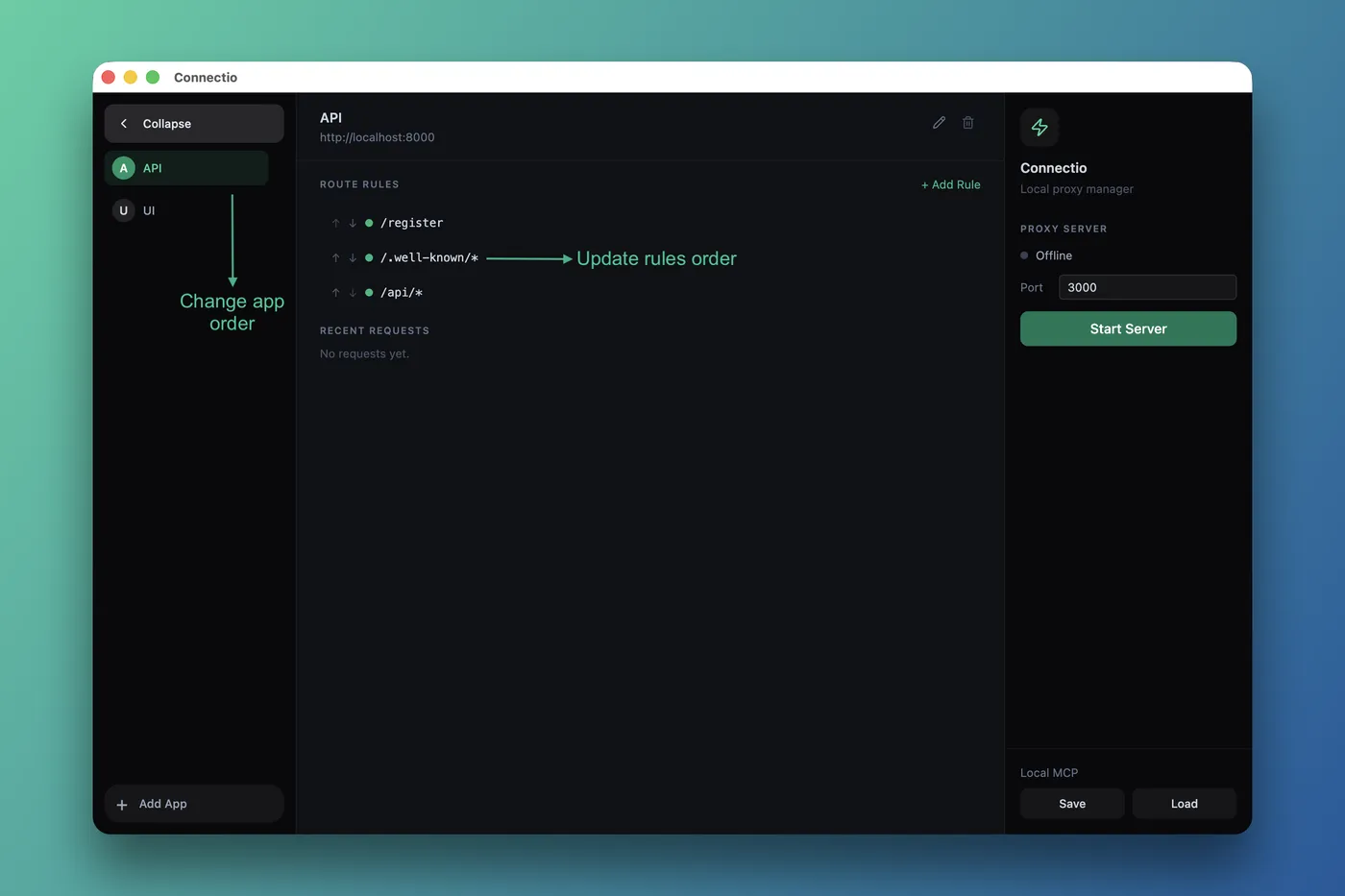
Click + to add each local server as an app. Type a name and a target, for example http://localhost:3001.
02
Write route rules
Add path rules, for example /api/* or /auth/login. Connectio compares the rules in sequence and uses the first rule that matches.
03
Start the server
Select a port. The default port is 8080. Then click Start. All of your servers are now available at one address.
04
Monitor each request
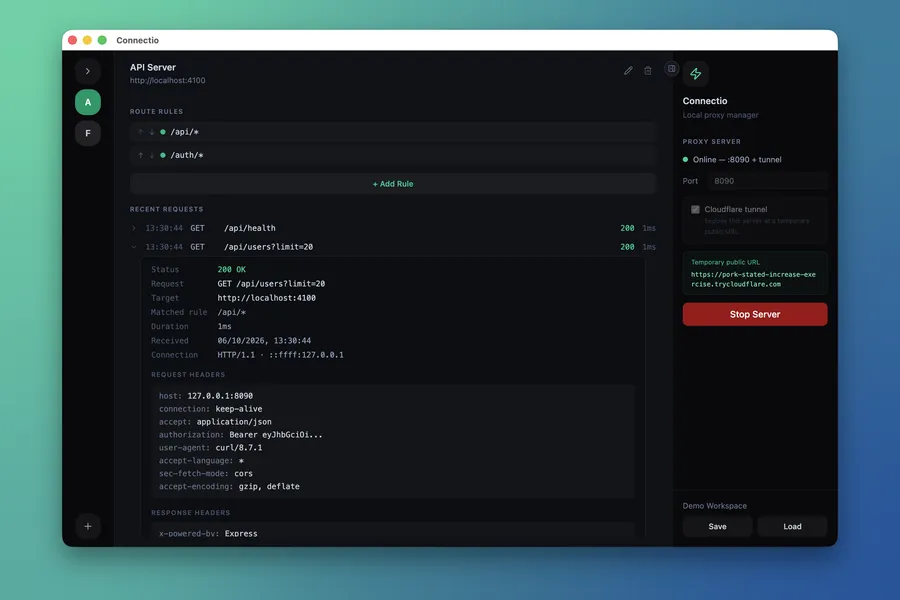
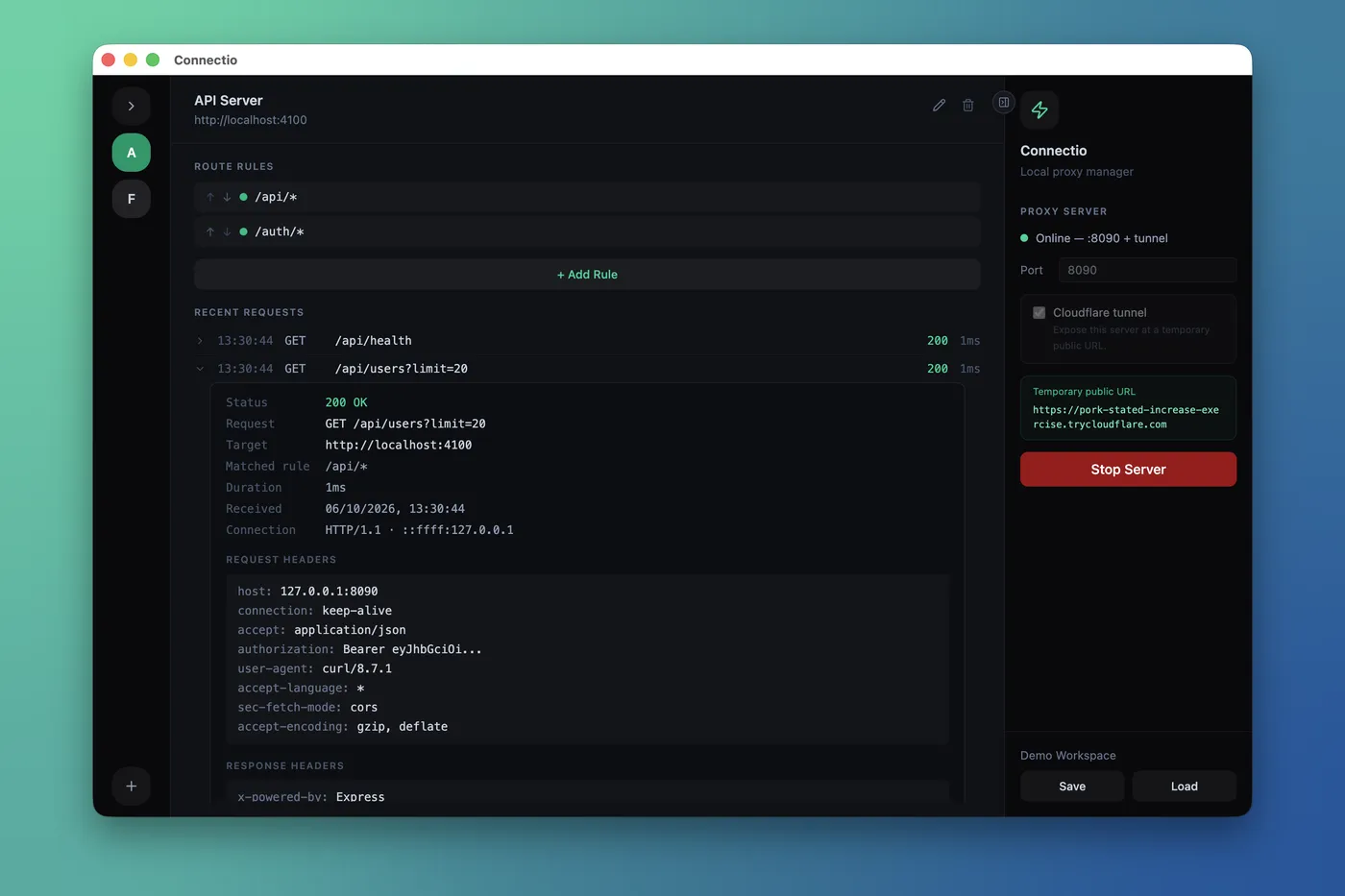
Each request shows in Recent Requests. Click a request to see the matched rule, the target, and the headers.
05
Share your servers
Enable the Cloudflare tunnel to receive a public URL while the server runs. When you stop the server, the tunnel closes.
More features
Wildcard route rules
Send glob paths, for example /api/*, to any local target. Connectio compares the rules in priority sequence.
Live request logs
See the method, path, status, and time of each request. Click a request to see all of its details.
Cloudflare tunnels
Each config can have a temporary public URL. The tunnel opens when the server starts and closes when it stops.
Save and load configs
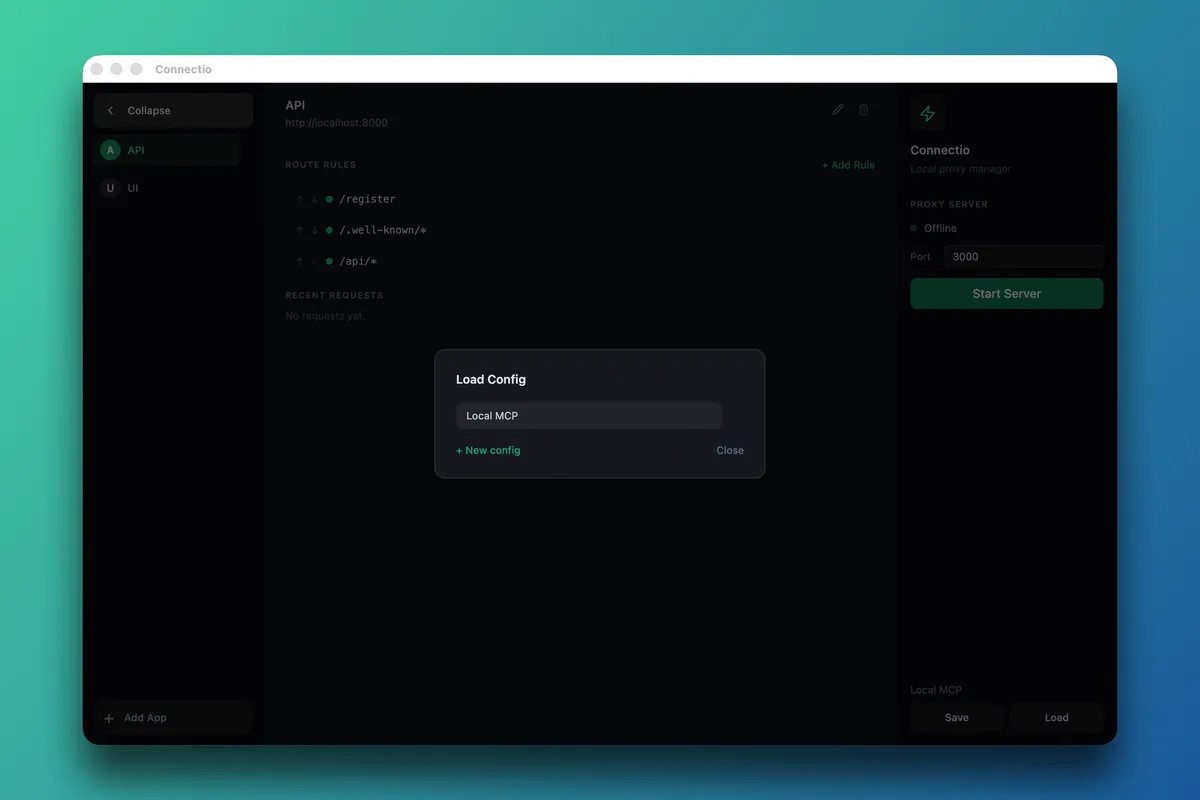
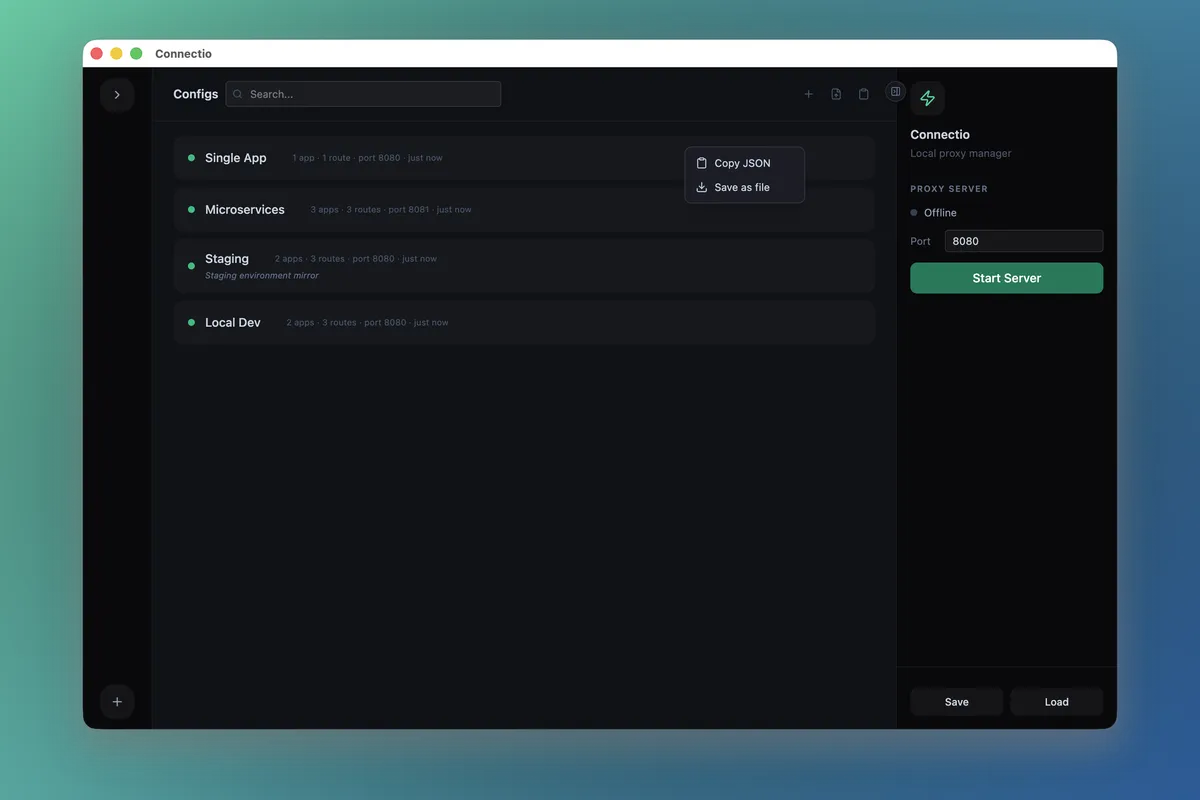
Keep one config for each project. Click one time to load a different config.
JSON import and export
Copy a config to the clipboard, save it as a file, or paste a config into the app.
Built-in JSON editor
Edit a config as raw JSON. Connectio validates the JSON before it saves the config.
Get Connectio
Connectio is free under the MIT license. Select your operating system, or install Connectio from the terminal.
$ curl -fsSL https://raw.githubusercontent.com/PulkitBanta/connectio/main/scripts/install.sh | sh
Connectio does not have a code signature yet. Thus, you must confirm the first launch.
Install guide →
FAQ
What is Connectio? +
Connectio is a desktop app that runs a local reverse proxy. You add your local development servers and write path rules, for example /api/* → localhost:3001. Then you can access all of the servers through one address, for example localhost:8080.
Is Connectio free? +
Yes. Connectio is free and open source. It uses the MIT license. The source code is on GitHub.
Which operating systems can it run on? +
Connectio runs on macOS with Apple Silicon, on 64-bit Windows, and on Linux (AppImage or .deb). For Intel Macs and other architectures, build Connectio from the source code.
How does Connectio prevent CORS errors in local development? +
CORS errors occur when your frontend and your API use different ports. The browser thinks that different ports are different origins. Connectio puts both behind the same port. Thus, the requests have the same origin, and the browser does not block them.
How is it different from nginx or Caddy? +
nginx and Caddy are production web servers. You configure them with text files, and you must reload them after each change. Connectio is for local development. You edit rules in a UI, and the rules apply when you start the server. Connectio shows each request in a live log. It saves each configuration as JSON that you can load again.
Do I need Docker? +
No. Connectio sends requests to servers that already run on your computer. You can start these servers in any way: npm scripts, Go binaries, Docker containers with published ports, or other programs that listen on localhost.
How do Cloudflare tunnels work in Connectio? +
Before you start the server, enable "Cloudflare tunnel". Connectio starts a Cloudflare Quick Tunnel and shows the public trycloudflare.com URL. When you stop the server, Connectio closes the tunnel. You must have cloudflared in a directory on your PATH. All persons who have the URL can access every route. Thus, use tunnels only for development.
Where are my configs stored? +
Connectio keeps configs as JSON files in the user data folder of your operating system: ~/Library/Application Support/connectio/configs on macOS, %APPDATA%/connectio/configs on Windows, and ~/.config/connectio/configs on Linux.
Why does my operating system show a warning when I open Connectio for the first time? +
Connectio does not have a code signature yet. Thus, macOS and Windows ask you to confirm the first launch. The install guide gives the procedure. Alternatively, use the install script, which prevents these prompts.
How do I update Connectio? +
Download the new release and install it over the old version. Alternatively, run the install script again. Connectio keeps your saved configs.
 Connectio